15+ Essential WoW Midnight Addons You Need for Patch 12.0
Upgrade your World of Warcraft: Midnight experience with our curated list of the best addons for 12.0. From essential UI overhauls to expert leveling guides and PvP tools, discover the must-have addons for your journey into Quel'Thalas.
NoobSidious
3/5/20266 min read
Greetings, Denizens of the Azeroth Galaxy!
I’ve just returned from my conquest of the Void, and let me tell you Azeroth’s latest expansion, Midnight, is a whole new beast. It's not enough to just show up; you must come prepared. And that’s where these essential addons come into play.
We will not waste time or your galaxy, without further ado… let us dive in.


🌀The Innkeeper’s Note (TL;DR)
As we venture into the sun-drenched (and shadow-threatened) lands of Quel'Thalas for Patch 12.0, your old UI might feel a bit like a rusty sword. This guide is your ultimate armory, packing the essential addons to make leveling faster, raiding smoother, and your bags actually organized.
Master Exploration: Use HandyNotes: Midnight to pinpoint every rare and treasure in the new zones, combined with TomTom or WayPointUI for flawless navigation.
Leveling on Hyperdrive: RestedXP provides the ultimate speedrunning routes, while World Quest Tracker cleans up your map by showing actual reward icons.
Don't Stand in Fire: DBM (Deadly Boss Mods) and GTFO remain non-negotiable for raiding, providing the alerts and "get out" alarms needed to survive Patch 12.0 mechanics.
UI & Quality of Life: Leatrix Plus is the "Swiss Army Knife" for automating junk sales and skipping cutscenes, while Bagnon finally merges your inventory into one manageable window.
Dominate the Arena: PvP essentials like Gladius and Omnibar give you the upper hand by tracking enemy trinkets and interrupt cooldowns.
Economic Advantage: Install Auctionator for a faster AH experience and GatherMate2 to map out the most efficient profession farming routes.
Launch Day Prep: Keep your addon manager (like CurseForge) open; many addons will see multiple "hotfixes" during the first week of Midnight to stay compatible.



Exploration & Navigation
First, let's make sure you never get lost in the Ghostlands. Because getting lost is... well, far beneath someone of my level of expertise.
HandyNotes & HandyNotes: Midnight
This is the gold standard for explorers. The base addon is a framework, but the Midnight plugin adds specific icons for every rare mob, treasure chest, and battle pet. You’ll never wander aimlessly again, just like I don’t waste my time with petty minions.TomTom
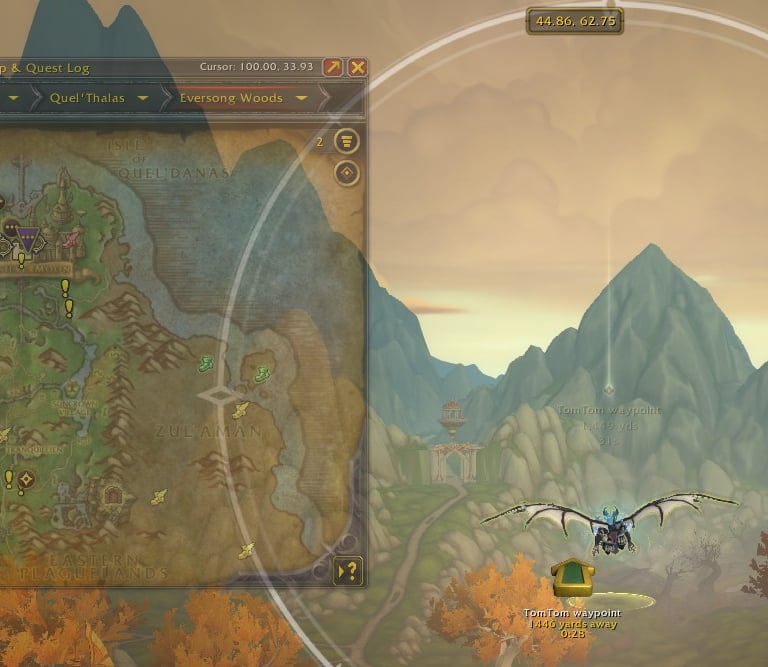
The classic “Crazy Taxi” arrow for your map. Paste coordinates from Wowhead, and this addon will point you directly where you need to go. A true convenience for those who need guidance.
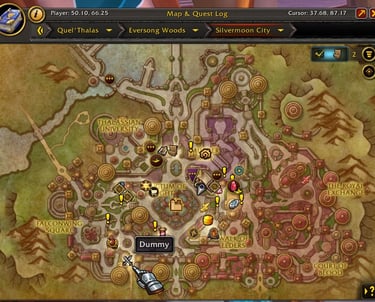
Once TomTom is installed and enabled, in-game, press enter and type:/ttpaste opens a paste window for multiple waypoints.
Copy and paste the coordinates below and press "Paste"
Check your map, green points will be added indicating the orb's location.
To reset: /tway reset all.
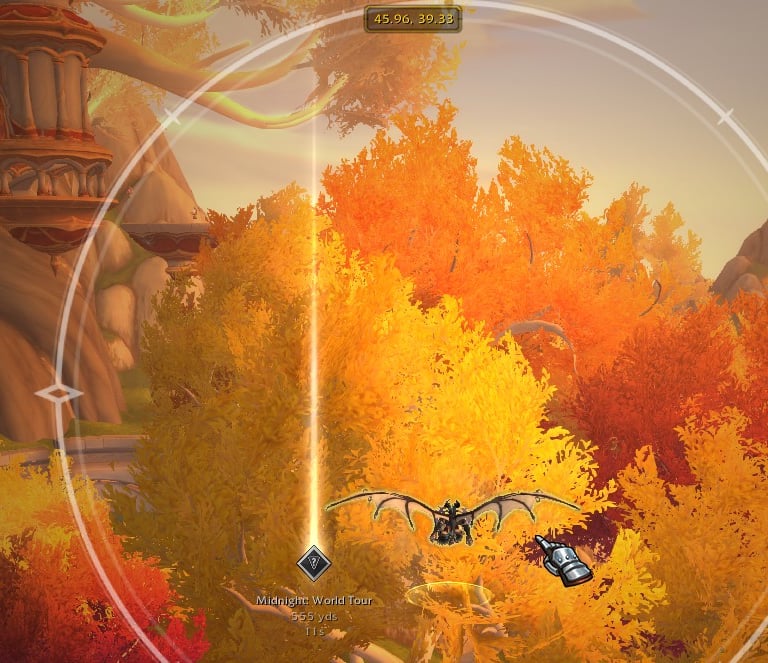
WayPointUI
If you want something more modern, this one replaces the basic arrow with a 3D world-space beam and a stylized "Navigator" to guide you. I’ve had better guides, but it will suffice for most mortals.World Quest Tracker
I don’t know about you, but squinting at tiny quest dots on a map is beneath me. This overhaul replaces them with proper icons showing what rewards await you. An elegant solution, one might say.RestedXP Guide
Ah, leveling... It’s just so much fun, right? But who has the time to walk around looking for quests like a mortal? This guide is a speedrunner's dream optimized routes, an arrow pointing directly to your next target, and automated quest turn-ins. Because, frankly, I don’t have time for nonsense.City Guide
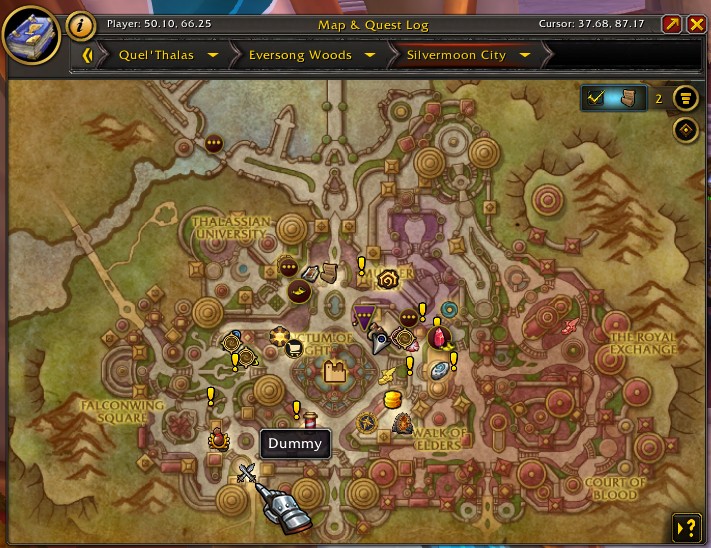
Navigating the cities of Azeroth should be a masterstroke, not a maze. With this guide, you’ll have no excuse for wandering aimlessly through the capital cities. Customizable labels and icons will direct you right to the NPCs you need, banks, auction houses, profession trainers. You’ll look like a true master of the city, even if you still get lost in the tradeskill menus.
Combat & Raiding
Whether you're diving into the latest raid or enduring a Mythic+ dungeon, information is power, and you, my dear underlings, will need all the power you can muster.
DBM (Deadly Boss Mods)
Your personal raid leader. It shouts warnings and provides countdown timers for every major boss mechanic. I don’t need it, but you might.GTFO
It plays a loud alarm if you’re standing in fire. I trust you understand the importance of not standing in fire.OmniCD
Perfect for team coordination. It tracks your party members' offensive and defensive cooldowns right next to their unit frames.
After all, even the mightiest of warriors need backup
I’m not referring to you, of course.
PvP Essentials
If you’re stepping into the arena, don’t even think about doing so without these essential tools.
Precision is everything when you’re crushing your enemies.
Gladius
Comprehensive enemy unit frames for Arena. It tracks trinket usage and crowd control duration. Know when to unleash your might or retreat.Omnibar
This addon tracks enemy interrupts. Know exactly when their Counterspell is on cooldown. It’s like being able to read minds, but better.BigDebuffs
Critical debuffs are enlarged in your raid frames, so you can see who needs an immediate dispel. You’ll always be a step ahead.
Quality of Life & Economy
Time spent managing your inventory is time you could be dominating. Let’s cut to the chase.
Leatrix Plus
A "Swiss Army Knife" of an addon. It automates boring tasks like selling junk, skipping cinematics, and accepting summons.
Why waste your time, when you could be plotting your next world-changing move?Bagnon
This addon combines all your bags into one massive inventory window. It even lets you see what your alts are holding. Efficiency, the New Noob way.Auctionator
Simplifies the Auction House experience. Price history on tooltips, faster posting process.
It’s like having your own personal auction assistant, minus the incompetence.GatherMate2
A must-have for herbalists and miners. It remembers every node you harvest and creates a map of efficient farming routes. No more wandering the world aimlessly for that precious resource.
Best Addons To Use in
World of Warcraft: Midnight - Full List
Addons are the cheat codes of leveling.
They’ll guide you through the madness without the usual rage-fueled, “Where the heck am I supposed to go next?” moments.
Equip them like your most powerful weapon.
Now, you are armed with the finest addons available to conquer Azeroth.
📜FAQ / Quick Tips
What are the best must-have addons for WoW: Midnight?
The essential addons for the Midnight expansion include HandyNotes: Midnight for exploration, DBM (Deadly Boss Mods) for raiding, and Leatrix Plus for general quality-of-life improvements.
How do I install addons for World of Warcraft: Midnight?
The easiest way to install addons is through a manager like CurseForge. Simply download the app, select your WoW retail folder, and search for the specific addons you want to install.
Will my old WoW addons work in the Midnight expansion?
Most UI-based addons will require an update. Check your addon manager regularly after the Patch 12.0 launch to ensure you have the latest versions compatible with the new expansion.
Do I need an addon for world quests in Midnight?
While the base game has a quest tracker, World Quest Tracker is highly recommended because it displays reward icons (gold, gear, etc.) directly on the map, making farming much more efficient.
Which WoW addon is best for tracking coordinates in Quel'Thalas?
TomTom is the industry standard for coordinate tracking. It allows you to input specific "way" commands (e.g., /way 45.2 60.1) to create a navigation arrow leading to hidden treasures or rares.
Are WoW addons like RestedXP or DBM safe to use?
Yes, these addons are safe and comply with Blizzard’s Terms of Service because they do not automate gameplay. Stick to reputable sources like CurseForge or WoWInterface for downloads.
🛠️ Pro-Tip: How to Fix LUA Errors & Addon Crashes
The Midnight launch will likely bring several small patches in a short window. This often leads to the dreaded "LUA Error" pop-up or a frozen UI. Here’s how to handle it like a pro:
The "Golden Rule" of Updates: During the first week of 12.0, open your CurseForge App every time before you launch the game. Developers often push "hotfixes" for addons multiple times a day to keep up with Blizzard's changes.
The Slash-Command Fix: If your screen feels "stuck" or an addon window won't close, type /reload in your chat box and hit Enter. This refreshes your UI without requiring you to log out of the game.
Clear Your Cache: If things are looking really "glitchy" (like missing icons or weird textures), close WoW and delete the Cache folder inside your retail directory. The game will rebuild it automatically, often fixing visual bugs.
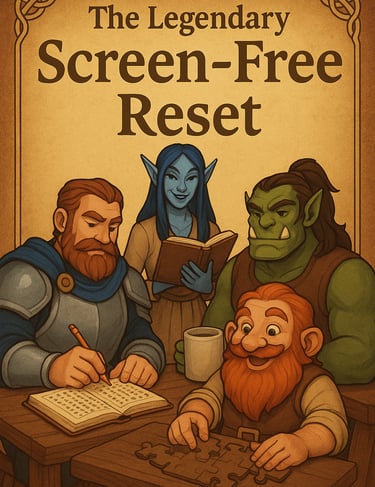
✨ Legendary Screen-Free Reset ✨
The Legendary Screen-Free Reset brings together fun, challenging, and themed word search puzzle books designed for relaxation, brain training, and entertainment.
And you will also support this project.
Perfect for adults, teens, and older kids, these puzzle books are created with easy-to-read print, making them accessible to casual solvers and puzzle lovers alike.
Whether you’re looking for a thoughtful gift, a screen-free activity, or just a way to unwind, the Legendary Screen-Free Reset is your best pick.
LIVE LONG, PLAY WOW

✎ᝰ About the Author
Noob Sidious is a veteran World of Warcraft player, husband, and father. With a few years of experience working in technology, including QA engineering, programming, and data analysis, Noob Sidious brings a unique blend of gaming expertise and tech-savvy humor to the WoW community. Known for his sarcastic wit, he turns even the most epic wipe into a legendary tale. When he's not dominating Azeroth or cracking jokes, you’ll find him balancing family life and crafting content that entertains, educates, and connects WoW players, all while embodying the Emperor’s style.


❤️ Maintaining this PROJECT takes more mana than a Disc Priest in a 10-minute raid encounter. If you’ve found my guides helpful, AND LIKE THE PROJECT, consider tossing a Major Mana Potion (or some real-world gold) my way to keep the servers running!
© 2026 WoWPrime. All rights reserved. Live Long, Play WOW
⚠️ Disclaimer
wowprimer.com is an independent, fan-driven project created for entertainment, commentary, and educational purposes. We are not affiliated with, endorsed by, or officially connected to Blizzard Entertainment, World of Warcraft, or any other companies mentioned on this site, unless explicitly stated.
All trademarks, copyrights, logos, names, and images are the property of their respective owners. Any use of these elements is made under Fair Use principles for the purposes of review, commentary, news reporting, and non-commercial fan expression.
Some articles, reviews, or recommendations may contain affiliate links or sponsored mentions. If you click on these links and make a purchase, we may earn a small commission at no additional cost to you. We only feature products, services, or experiences we genuinely believe may be of interest or value to our readers.
All content is provided “as is” for informational and entertainment purposes only and should NOT be considered official advice, endorsement, or representation of any third-party company.
SUBSCRIBE